
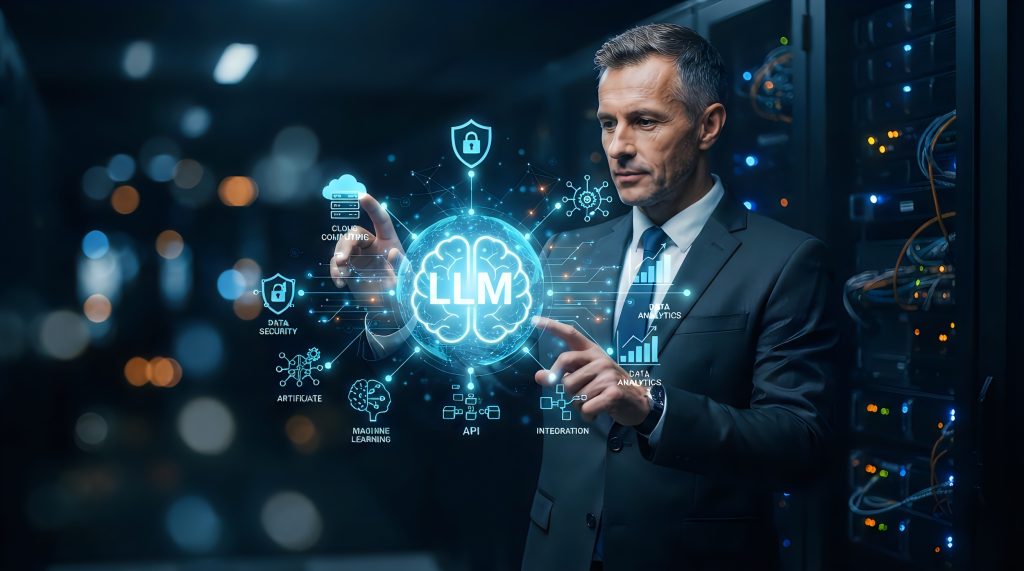
Artificial intelligence (AI) is changing how businesses handle their IT systems. As AI grows in IT infrastructure, companies are using smart tools. These tools help automate tasks, find problems quickly, and enhance the customer experience.
This movement is part of a bigger digital change. It includes cloud environments, automated tasks, and smart monitoring with AIOps. AIOps stands for Artificial Intelligence for IT Operations.
In this article, we will look at how AI, automation tools, and AIOps solutions help IT teams work better and faster.
What Is AI in IT Infrastructure?
AI in IT infrastructure means using smart systems to manage hardware, software, networks, and data centers. These systems can analyze data, find patterns, and make decisions without human intervention. As a result, tasks that once took hours or days can now happen in seconds.
For example, AI workloads in data centers can predict when a server might fail. Instead of waiting for something to break, the system alerts the team early so they can fix it.
How IT Automation Works
IT automation uses tools and processes to complete tasks without manual work. Think of it as setting up a system that runs itself. This could include:
- Backing up data on a regular schedule
- Automatically adjusting server space
- Restarting services after an error
These automation processes reduce the need for human intervention, making systems faster and more reliable.
What Is AIOps?
AIOps stands for Artificial Intelligence for IT Operations. It uses AI and machine learning to help IT teams manage complex systems. AIOps tools can:
- Monitor systems in real time
- Find unusual patterns (anomaly detection)
- Predict problems using predictive analytics
- Suggest solutions automatically
By using AIOps platforms, businesses can stop problems before they affect users. This improves system performance and the customer experience.
Benefits of AI and Automation in IT
Here are some of the top reasons why businesses are using AI in IT infrastructure:
1. Fewer Human Errors
Automated tasks don’t make the same mistakes people do. This leads to fewer problems and less downtime.
2. Saves Time and Money
AI and automation tools speed up time-consuming tasks. That means IT teams can focus on bigger problems instead of routine work.
3. Better Customer Experience
Faster systems and fewer outages mean users get better service. AIops solutions help companies respond to issues before customers even notice.
4. Smarter Monitoring
AI tools can watch thousands of systems at once. They alert teams when something looks off, like a sudden spike in traffic or a slowing server.
5. Scalability in Cloud Environments
In cloud environments, resources change quickly. AI-powered automation helps companies scale up or down without needing manual task changes.
AIOps in Action: Real Examples
Here are a few ways companies are using AIOps platforms:
- Thin-nology, a Texas-based technology company, uses AI and automation to power its data centers. How Virtual Desktop Infrastructure is Empowering Remote Work shows how smart tools are used to support remote teams.
- In another post, Cloud Migration: How to Successfully Transition to the Cloud explains how automation platform strategies can smooth the move to cloud environments.
- What a Managed Services Provider Can Do for Your Business highlights the role of AIops tools in reducing human errors and boosting system performance.
Building an Automation Strategy
To start with IT automation, businesses need a solid plan. Here’s how:
- List Manual Tasks: Identify which tasks take the most time or have the highest error rates.
- Pick the Right Tools: Use trusted AIOps tools or automation platforms that fit your system.
- Set Goals: Know what success looks like. Is it faster response times? Fewer outages?
- Create Automation Workflows: Map out how tasks will move through the system. Include fail-safes and fallback plans.
- Test and Improve: Start small, then adjust the process based on what you learn. Use metrics to track performance and guide improvements.
- Train Your Team: Make sure everyone understands how the new automation tools work. Regular training prevents mistakes and keeps everyone aligned.
Common Myths About AI in IT
Despite its benefits, AI in IT still faces some common myths. Let’s clear them up:
- “AI will replace all IT jobs.” While AI automates tasks, it also creates new roles focused on strategy, oversight, and system training.
- “AI is only for large-scale enterprises.” Many companies design tools today for small and medium businesses. Thin-nology’s solutions prove AI doesn’t have to come from large technology corporations.
- “Automation is risky.” With the right setup and monitoring, automation reduces risk by minimizing human errors.
- “AI is too expensive.” While there are upfront costs, AI saves money over time by cutting downtime, errors, and labor hours.
Challenges to Watch For
While AI and automation bring substantial advantages, they’re not without risks:
- Over-reliance: Too much automation without oversight can hide serious issues.
- Training: Teams need to learn how to use AIops platforms correctly.
- Cost: Some AIOps solutions are expensive to start, though they often save money over time.
What’s Next for AI in IT?
As AI models improve, they’ll handle even more tasks. We may soon see automation tools that:
- Fix problems before they happen
- Suggest improvements to infrastructure
- Communicate with users in real time
Thin-nology is already preparing for this future. Their Aurora Cloud Services show how AI-driven cloud platforms can replace big tech with flexible, secure solutions.
AI vs. Manual IT Management: A Quick Comparison
|
Feature |
AI & Automation |
Manual IT Management |
|
Speed |
Executes tasks instantly |
Slower, human-paced |
|
Accuracy |
High (fewer human errors) |
Prone to mistakes |
|
Scalability |
Easily scales in cloud environments |
Requires more staff |
|
Cost Over Time |
Saves money |
Higher long-term costs |
|
Flexibility |
Adjusts in real time |
Needs manual changes |
|
Monitoring |
24/7 real-time insights |
Periodic checks |
Conclusion
AI in IT infrastructure is no longer a future idea—it’s happening now. With AIOps and smart automation tools, businesses can improve system performance, reduce errors, and create better customer experiences. AI can help you work faster and smarter. This is true whether you run a data center, manage cloud systems, or support a remote workforce.
To explore how Thin-nology supports IT automation and AIops platforms, contact us today.
